
Scene-Based AI Video vs Stock Footage for Documentaries
Compare scene-based AI visuals and stock footage by story purpose, control, authenticity, cost, continuity, and documentary workflow.
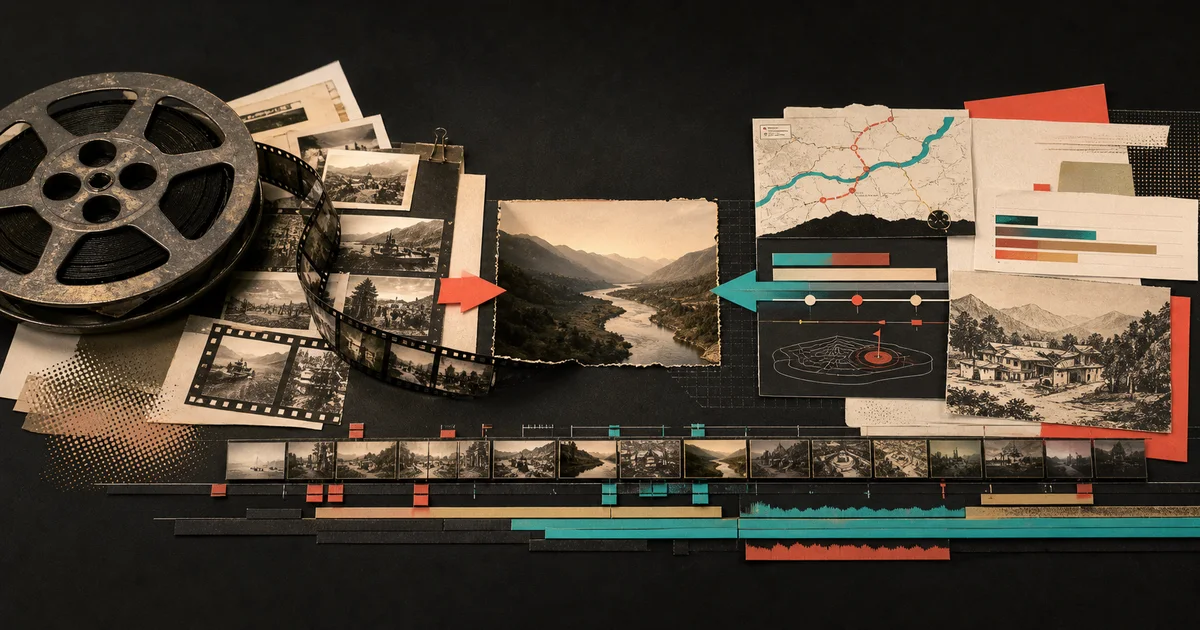
Scene-based AI video is usually stronger when a documentary must explain an idea, route, date, number, or event that stock footage cannot show precisely. Stock footage is stronger when authentic, recognizable real-world imagery already exists. Most documentary workflows benefit from a hybrid: choose every visual according to the scene’s editorial job, not one source for the entire film.
That distinction matters because “find a clip for every sentence” is not a visual strategy. It often produces a montage of plausible images without showing the actual argument. A scene-based workflow starts one level earlier: what must the viewer understand at this moment, and what kind of scene makes that understanding easiest?
Scene-based AI video vs stock footage at a glance
| Decision | Scene-based AI video | Stock or archival footage |
|---|---|---|
| Best at | Explaining a specific relationship, sequence, route, comparison, or abstract idea | Showing real places, activities, objects, people, and historical evidence that already exists |
| Editorial control | Direct the composition, scene type, labels, pacing, and visual hierarchy around the narration | Work within the framing, action, duration, and availability of the source clip |
| Authenticity | Must be presented carefully when imagery could be mistaken for a real event | Can provide direct visual evidence, provided the clip is genuine, correctly attributed, and used in context |
| Continuity risk | Style can drift unless the project carries consistent art direction and references | Color, camera, era, and quality can shift as clips come from different libraries |
| Production work | Storyboard, direct, generate, review, and revise the intended scene | Search, license, download, organize, trim, crop, grade, and fit the available footage |
| Strongest workflow | A planned hybrid that reserves real footage for evidence and uses directed scenes where the story needs explanation | |
What “scene-based” means in a documentary workflow
Scene-based production treats a video as a sequence of purposeful units. Each unit connects narration, timing, a visual treatment, media, captions, and its place in the wider story. The output is not merely a folder of generated clips. It is a storyboard that can become an editable timeline.
One scene might establish a location with a globe. The next might trace a route on a map. A timeline can reveal the turning points. A data scene can compare the size of two outcomes. An archival-style image can carry atmosphere, while kinetic type makes one conclusion impossible to miss.
This is the model behind Veedyoo’s AI documentary maker. A topic becomes a production plan, and the plan remains editable before the final render.
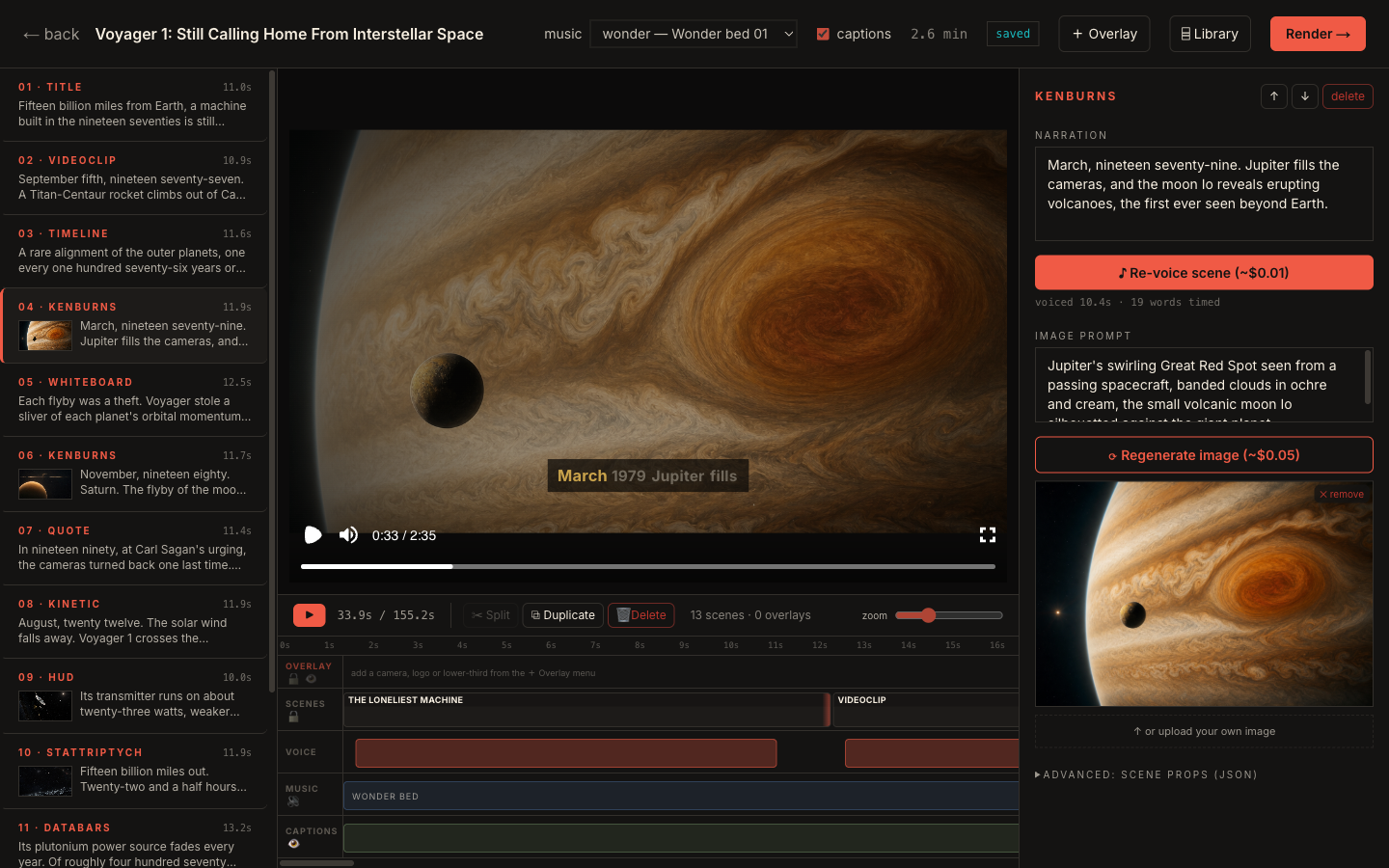
That structure changes the creative question. Instead of asking, “What clip looks roughly like this sentence?” you can ask, “What should this scene prove, reveal, or make easier to understand?”
When stock footage is the better choice
Stock, licensed, or archival footage should not be treated as the old option that AI replaces. It is often the most responsible and effective source.
Use it when the real thing is the evidence
If the narration discusses a particular building, machine, landscape, public event, or process, the actual image may carry information that a generated reconstruction cannot. A documentary about container ports benefits from real cranes and vessel operations. A company history can benefit from verified product footage and period advertising. A profile can benefit from properly cleared material of the person being discussed.
The visual is not decoration in those cases. It helps establish that the subject exists and looks or behaves a particular way.
Use it when natural movement matters
Complex human activity, manufacturing, wildlife behavior, crowds, and physical processes contain details viewers recognize subconsciously. If a suitable real clip exists and you can use it, that clip may communicate more efficiently than a generated approximation.
Use it when provenance matters more than art direction
For reporting, history, science, or sensitive current events, the source of an image can matter as much as its appearance. A clearly identified photograph, chart, document, or recording gives the viewer something traceable. Generated imagery can support the explanation, but it should not quietly impersonate evidence.
The cost is search and fit. You may find a beautiful clip of the correct subject that still shows the wrong location, year, model, or behavior. Relevance must be checked at the claim level, not accepted because the clip feels cinematic.
When a directed scene is the better choice
Directed scenes become valuable when the narration describes something that has no obvious camera-ready equivalent.
Use a map for movement and geography
“The shipment traveled through three ports” is not well served by a generic cargo-ship clip. A route map can name the places, show order, and make distance visible. The scene should answer where, in what direction, and why that route matters.
Use a timeline for cause and sequence
A row of office-building clips cannot explain how five decisions unfolded across eight years. A timeline can reveal the interval between events and keep the viewer oriented while the narration moves forward.
Use a data scene for magnitude
When the argument depends on a ratio, change, ranking, or comparison, show that relationship. A bar, counter, proportion, or labeled before-and-after scene can do more work than generic footage of people looking at screens.
Use a diagram or whiteboard for mechanisms
Some stories are about invisible systems: money moves through accounts, packets move through networks, goods move through warehouses, or incentives change behavior. A diagram can isolate the parts and reveal the connection in the order the narration explains it.
Use generated imagery for unavailable moments
An editorial illustration can establish tone or make an abstract idea visible when no literal footage exists. Treat it as an interpretation, not a record. Keep the style coherent, avoid inventing factual details, and disclose realistic synthetic depictions when the platform or context requires it.
For a deeper breakdown of these formats, see the guide to maps, timelines, and data scenes.
Why all-stock documentaries can feel generic
The problem is rarely that stock footage looks bad. The problem is that footage chosen by surface keywords may not track the logic of the script.
Imagine this narration: “The company did not fail because demand disappeared. It failed because each sale created a larger delivery loss.” A search-led edit might show an empty office, a falling graph, worried employees, and a delivery truck. Those images match individual words. They do not explain the contradiction.
A purposeful sequence could do more:
- A clean demand line continues upward.
- A per-order cost stack grows beside it.
- A map reveals the expensive delivery radius.
- The two lines cross at the turning point.
- One closing statement names the real failure.
That sequence turns the argument into something the viewer can inspect. It is also easier to revise because every scene has a defined job.
Why all-generated documentaries can also fail
Generation does not automatically create specificity. A film can still become a series of atmospheric images that repeat the narration without explaining it. It can also create new risks:
- visual styles shift between scenes;
- locations or objects contain invented details;
- a reconstruction looks like genuine footage;
- too many image generations are spent before the story is stable;
- motion exists, but the visual hierarchy is unclear;
- the viewer cannot tell what is evidence and what is interpretation.
The remedy is not a longer prompt for every shot. It is a production plan. Define the visual grammar, match each scene to a narrative purpose, review a storyboard, then spend on the assets that survive the review.
The script-to-storyboard method explains how to make that connection before the final edit.
A practical hybrid method
1. Label the job of every paragraph
Mark each section of narration as one of these jobs:
- establish;
- locate;
- prove;
- sequence;
- compare;
- explain;
- transition;
- conclude.
This prevents every line from receiving the same visual treatment.
2. Reserve evidence before generating anything
List the real items the film needs: source documents, product photographs, locations, archival material, screenshots, charts, or quotations. Verify what you can use and what context must accompany it.
3. Assign scene types to the explanatory gaps
Where evidence cannot show the relationship clearly, assign a map, timeline, data scene, whiteboard, title, or generated illustration. The treatment should solve a comprehension problem.
4. Build a visual grammar
Choose a palette, type system, label style, camera language, recurring motif, and rules for archival or synthetic imagery. Apply them across both real and generated sources so the film feels like one production.
The guide to choosing a documentary template can help align that grammar with the topic.
5. Review the storyboard without sound
Scan the frames and ask whether the sequence still has structure. Repeated compositions, decorative shots, unexplained charts, and visual drift become easier to see.
6. Review the narration without visuals
The opposite check matters too. Visuals should support a coherent script, not conceal weak research or missing transitions.
7. Generate and license after the plan survives
Asset work has a cost whether it is paid in credits, subscription capacity, licensing fees, cloud usage, or hours spent searching. The AI documentary cost guide shows how to compare those models without pretending every output is identical.
How Veedyoo handles the choice
Veedyoo is built around an editable scene plan. The planner can use visual treatments such as maps, globes, timelines, data scenes, whiteboards, kinetic text, and generated imagery. The creator reviews narration, timing, direction, and media in a storyboard and timeline before the final cloud render.
It is not a universal stock library, and it does not turn an unverified claim into evidence. Creators should still bring the research, rights judgment, and editorial review a documentary needs. Its role is to keep the story and the production state connected, then make directed visual formats available inside the same project.
You can start with included credits and top up from $5 rather than committing to a monthly subscription.
Frequently asked questions
Is AI-generated footage cheaper than stock footage?
Not always. The result depends on generation attempts, revisions, licensing terms, subscription utilization, and your time. Compare the total workflow cost for the scenes you actually need, not only the advertised entry price of a tool or library.
Can a documentary use only stock footage?
Yes, when the available material supports the argument and you can use it appropriately. The risk is editorial mismatch: attractive clips may illustrate keywords without explaining relationships. Storyboarding and purposeful graphics can close those gaps.
Can a documentary use only generated scenes?
It can, but generated imagery should not be presented as factual evidence. Accuracy, continuity, disclosure, and the distinction between reconstruction and record require active review.
What is the best visual source for a faceless YouTube documentary?
There is no single best source. Use real, traceable footage where authenticity is the point; use maps, timelines, data scenes, diagrams, and generated illustrations where explanation is the point. A coherent hybrid is often stronger than forcing the entire film into one source type.
Should I choose visuals before writing the script?
Set the visual language early, but connect specific visuals to a structured script or scene outline. A topic-to-production workflow prevents asset availability from quietly rewriting the argument.
Direct the scene before you generate it
Use Veedyoo to turn narration into an editable storyboard with maps, timelines, data scenes, generated imagery, and a multi-track final cut.
Create a documentary