
VidRush Alternative: Veedyoo vs VidRush Pricing and Workflow
Compare Veedyoo and VidRush on subscriptions, credits, sourced footage, storyboards, editing, and the AI documentary workflow each creator fits.

If you want a VidRush alternative mainly because you do not want another monthly subscription, Veedyoo is the clearer fit: it starts with free credits and uses pay-as-you-go top-ups. VidRush is better aligned with recurring long-form publishing volume, sourced footage, team seats, and predictable monthly capacity. Both products include editing; the real choice is production model and workflow.
That is the short answer. The longer answer matters because “AI video generator” covers products that solve different production problems. VidRush and Veedyoo can both help create faceless documentary-style videos, but they organize the work, bill for it, and construct the visuals differently.
Veedyoo vs VidRush at a glance
| Decision factor | VidRush | Veedyoo |
|---|---|---|
| Billing entry | Monthly plans begin at $99 on the public pricing page. Optional pay-as-you-go adds credits after a plan allowance runs out. | No monthly subscription. Start with included credits, then top up from $5 when needed. |
| Core production model | Long-form production from a brief, script, voiceover, or footage, with research, narration, visual sourcing, and rendering. | Topic-to-documentary production built around an editable scene plan, specialized visual treatments, preview, and cloud rendering. |
| Public length guidance | The pricing FAQ describes 6–40-minute Documentary and Top 10 videos in English. | Target length is chosen per documentary; the public site does not advertise a fixed 6–40-minute range. |
| Visual approach | Public materials emphasize matching narration to relevant footage available online, with model-dependent image and video options. | Uses directed scene types such as archival-style images, maps, globes, timelines, data scenes, whiteboards, and kinetic type. |
| Planning control | A plain-language brief is interpreted into settings and a credit quote before generation. | A storyboard exposes narration, timing, visual direction, and scene type before the final render. |
| Editing | Includes a built-in editor for replacing media, adjusting timing, audio, text, and other elements. | Includes a live preview and timeline editor for scene-level narration, media, pacing, ordering, and regeneration. |
| Teams and volume | Higher plans add team seats and concurrent generations for recurring operations. | Public pricing is creator-oriented and does not currently advertise tiered team-seat or concurrency packages. |
| Best fit | Creators and teams publishing long-form videos consistently enough to use a monthly credit allocation. | Creators who want documentary scene direction without a recurring software commitment. |
This table compares published workflows, not output quality. A fair visual judgment requires the same script, source constraints, voice, duration, and revision budget in both tools.
The main difference is commitment, not credits alone
Both services meter production with credits. The important difference is how you obtain and use them.
VidRush’s public pricing page displays Starter at $99 per month, Creator at $239, and Pro at $639. It associates those plans with monthly credit allocations, estimated video minutes, team seats, and concurrent generations. Its pricing documentation also lists higher-volume Scale and Studio tiers, says yearly billing costs ten monthly payments for twelve months of access, and notes that credits refresh monthly. There is a currency caveat: the cards use dollar signs, while VidRush’s terms state that subscription prices are in pounds sterling. Confirm the checkout currency before purchasing.
VidRush also has pay-as-you-go. However, its documentation presents PAYG as an overage mechanism: after the credits included with an active plan run out, the service can add more. That is different from a subscription-free entry point. Unused VidRush credits do not roll over into the next billing cycle according to its current documentation, so expected monthly utilization matters.
Veedyoo’s pricing model begins at $0 monthly. Sign-up includes starter credits, and top-ups begin at $5. Editing and previewing do not consume credits; spending is tied to generating assets and rendering. Purchased credits are currently valid for one month, so this is still not a permanent stored balance. The practical difference is that there is no recurring base plan to maintain between projects.
This makes the decision straightforward:
- Choose VidRush’s model when monthly production is consistent and the plan’s minutes, seats, and parallel-generation capacity match an operating schedule.
- Choose Veedyoo’s model when production is intermittent, experimental, seasonal, or still proving demand—and you want the option to spend nothing in a quiet month.
Do not compare the headline dollar figures without normalizing the job. VidRush’s pricing estimates bundle a long-form pipeline and vary with visual model and reasoning level. Veedyoo’s costs vary with length, generation choices, regeneration, and rendering. Our separate AI documentary cost guide explains how to compare subscription, credit, and cloud-compute models without mixing unlike workloads.
VidRush is designed around repeatable long-form production
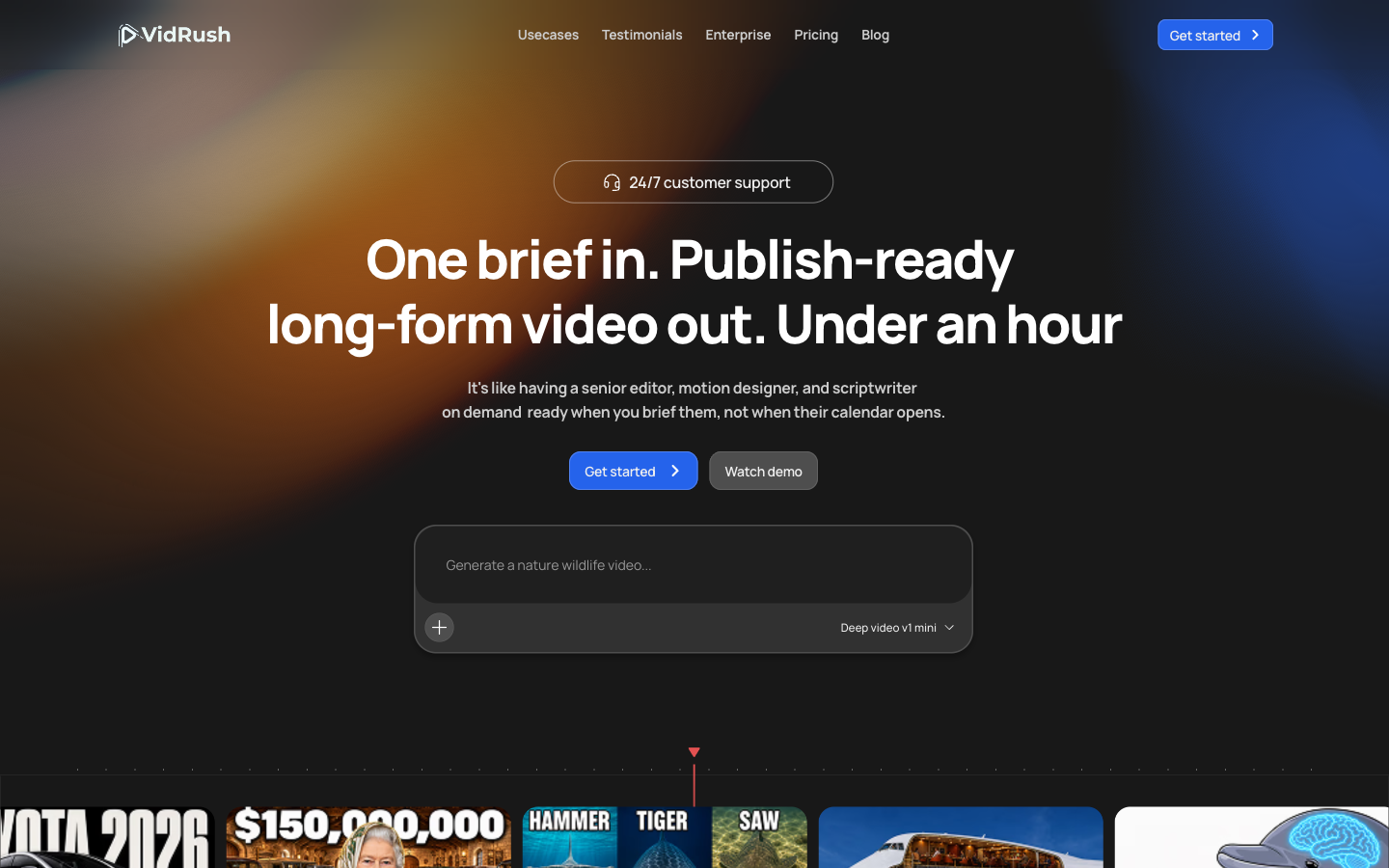
VidRush’s strongest public case is an integrated long-form workflow. Its homepage accepts a paragraph, complete script, raw footage, voiceover, or a combination. The documented production plan estimates credits before research, scripting, narration, visual sourcing, motion, and rendering.
The VidRush pricing FAQ says its main formats are Documentary and Top 10 videos between 6 and 40 minutes, and that it works best where enough relevant real-world footage exists online. That can be a meaningful advantage for history, finance, nature, transport, true crime, and other topics with rich footage coverage. It can be a limitation when the story depends on an obscure subject, a private archive that has not been connected, or a visual concept that needs purpose-built explanatory scenes rather than sourced B-roll.
VidRush also supports bringing a finished script, narration, and footage into the workflow. According to the same public material, supplying your own voiceover does not reduce the credit cost because the charge covers the wider production pipeline.
For production teams, its tier structure is a serious differentiator. The official pricing documentation increases seats and concurrent generations on higher plans. If several channels need videos every week, that capacity planning may be more useful than minimizing the cost of a single experimental project.
Veedyoo is designed around directing the documentary scene by scene
Veedyoo begins with a topic, creative direction, target length, and documentary genre. It builds a production plan whose scenes carry narration, duration, visual instructions, and treatment. That makes the storyboard a working production surface rather than a disposable outline.
Its visual vocabulary is deliberately broader than a continuous B-roll track. A geographic explanation can use a globe or map; a chronology can become a timeline; a number can become a data scene; a concept can be drawn as a whiteboard sequence; and an archival-style image can use camera movement. The point is not that one method always looks better. It is that Veedyoo is useful when the creator wants to decide how each idea should be visualized before committing to the final render.
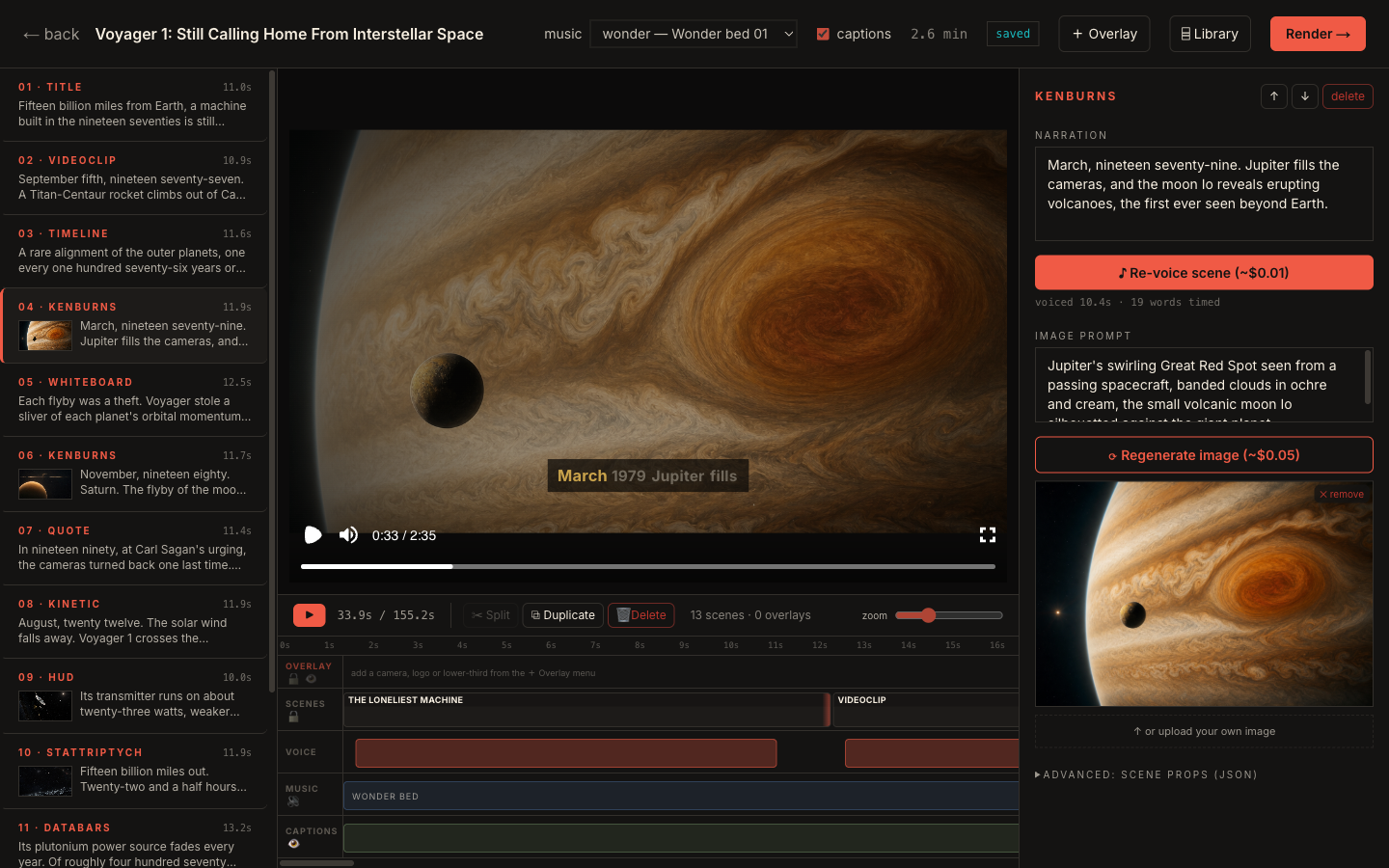
The Veedyoo documentary maker page explains this topic-to-film path, while the storyboard generator page focuses on scene-level planning. These are useful distinctions for creators making evidence-led explainers, system stories, space films, business breakdowns, or short documentaries where maps, dates, quotations, and statistics need their own visual grammar.
Veedyoo is less obviously optimized for a team that needs ten parallel long-form generations and allocated seats. Its public pricing currently emphasizes solo creators and pay-as-you-go production rather than volume contracts. Buyers who need formal team permissions, concurrency guarantees, or a footage-archive integration should verify those requirements before choosing it.
Both products have editors
A comparison that says VidRush “has no editor” is outdated and wrong. Its public pricing page describes a full editor, and its official editor documentation covers media replacement, uploaded assets, text, audio, animations, timing, and rendering. Every generated video is intended to move into that editing environment for quality control.
Veedyoo also provides editing, but the interaction begins earlier in the planning structure. Creators can inspect the storyboard, open the timeline, change scene narration, regenerate a visual, adjust the order and pacing, preview the complete cut, and then render. In other words, both let you revise; the distinction is whether you prefer a production system centered on long-form assembly or a documentary board centered on directed scene types.
There is also a shipped-versus-announced detail worth preserving. VidRush’s current documentation describes its editor as available. Its homepage labels the broader natural-language “Polish” step—asking Rush Agent to change pacing, B-roll, or music—as “Coming soon,” and its documentation separately identifies Deep Video V2 as coming soon. Those future labels should not be counted as current capabilities, but they do not negate the shipped timeline editor.
Choose VidRush if these conditions describe your channel
VidRush is likely the stronger fit when:
- You publish 6–40-minute documentaries or list videos on a dependable monthly schedule.
- Your subjects have plenty of relevant footage available online.
- You want one system to handle research, script, narration, footage matching, editing, and rendering.
- You can use most of a monthly credit allocation before it expires.
- You need documented team seats or concurrent generations.
- You want to provide your own script, narration, footage, or brand profile within a long-form workflow.
The $99 entry price is not inherently expensive if it replaces recurring editing labor and the allowance is used. It is simply a poor fit when you create sporadically or are still testing whether a new channel deserves monthly tooling.
Choose Veedyoo if these conditions describe your workflow
Veedyoo is likely the stronger VidRush alternative when:
- Avoiding a recurring monthly fee is a primary requirement.
- You want to start with a small project before committing more budget.
- You prefer reviewing a scene-by-scene production plan before the final render.
- Your documentaries need a mix of maps, timelines, data, typography, sketches, and cinematic imagery.
- You want to preview and edit without spending credits until generation or rendering is needed.
- Your publishing schedule has quiet months, experiments, or one-off client projects.
That does not automatically make Veedyoo less expensive for every finished video. Heavy regeneration can change the total, and different workflows include different production work. It means the minimum financial commitment is lower and the creator can direct spending project by project.
A practical evaluation before you pay
Use one representative brief rather than a generic demo topic. Write down:
- The target duration and language.
- Whether you already have a script or voiceover.
- Whether the topic has enough licensable or usable footage online.
- Which scenes require maps, dates, statistics, diagrams, or custom visual direction.
- How many revision passes you normally make.
- How many videos you expect to publish in a quiet month and a busy month.
- Whether collaborators need seats or simultaneous generations.
Then compare the quote, the editable plan, the revision controls, and the cost of a normal month—not only the best-looking demo. Save the same brief for a controlled trial later. Until both tools have produced it under matching conditions, treat output-quality claims as marketing rather than evidence.
Frequently asked questions
Is Veedyoo a free VidRush alternative?
Veedyoo has a $0 monthly entry and includes starter credits, but production is not unlimited or permanently free. Once the included credits are used, you buy pay-as-you-go credits for asset generation and rendering. See the current Veedyoo pricing page before starting a project.
Does VidRush offer pay-as-you-go credits?
Yes. VidRush’s documentation describes PAYG top-ups after plan credits run out. The difference is that its PAYG mechanism supplements an active subscription, while Veedyoo presents top-ups as the primary billing model without a monthly base fee.
Can VidRush edit generated videos?
Yes. VidRush documents a built-in video editor for media, text, audio, timing, and other changes. Its announced Rush Agent polishing flow should not be confused with the editor that is already documented as available.
Which tool is better for long-form YouTube automation?
VidRush’s public offer is more explicitly optimized around repeatable 6–40-minute long-form production, monthly allowances, and concurrency. Veedyoo is more suitable when you want documentary scene direction, smaller initial spend, and no recurring subscription. “Better” depends on the brief, footage availability, revision pattern, and monthly output.
What other alternatives should I compare?
If you are comfortable managing your own cloud account, read our OpenVidi alternative comparison. If the bigger question is how subscriptions, pay-as-you-go credits, and bring-your-own-cloud costs differ, start with the AI documentary video cost guide.
Sources and update policy
This comparison was checked on July 19, 2026 against the VidRush homepage, VidRush pricing page, VidRush plans documentation, and current Veedyoo pricing and documentary workflow pages. Prices, allowances, and feature status can change. We will update the checked date when the article is substantively re-verified, and we will add a same-brief production benchmark only after both products have been tested under equivalent conditions.
Build a documentary without adding another subscription
Start with Veedyoo's included credits, direct the storyboard scene by scene, and top up only when you are ready to generate or render.
Try Veedyoo free