
OpenVidi Alternative: Managed Studio vs Google Cloud
Compare OpenVidi and Veedyoo by cloud setup, pricing model, workflow, editing control, storage, and the kind of creator each AI documentary studio fits.

Veedyoo is a practical OpenVidi alternative for creators who want a managed documentary studio instead of connecting their own Google Cloud project. OpenVidi may suit creators who value cloud ownership and direct usage visibility; Veedyoo may suit creators who prefer pay-as-you-go production, no cloud setup, and a multi-track timeline.
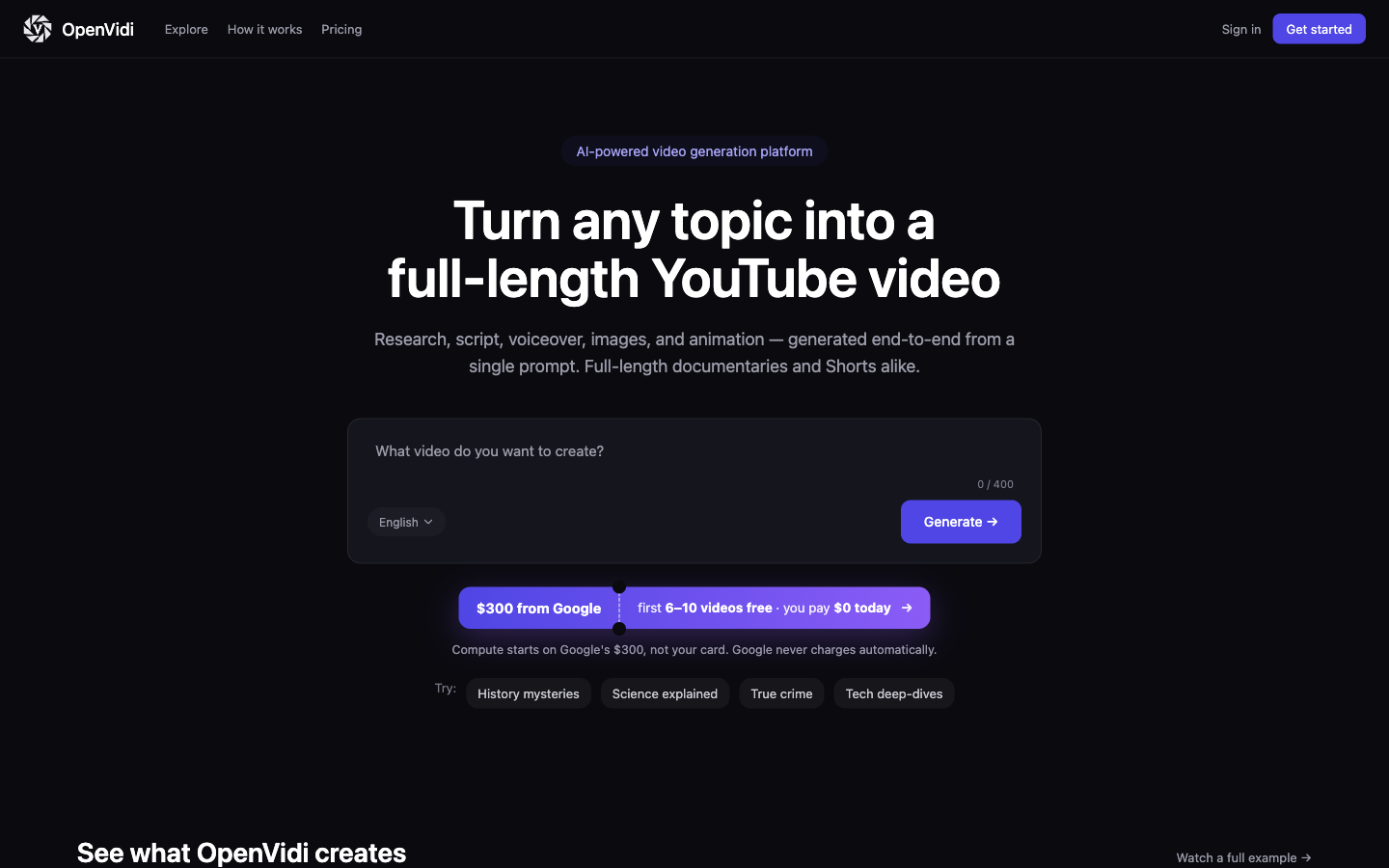
The central difference is who manages the infrastructure
Both products aim to turn a topic or script into a narrated, visual video. The important difference is not simply a feature checklist. It is the operating model behind the workflow.
OpenVidi asks the customer to connect a Google Cloud project. Its tutorial says the setup wizard helps enable Vertex AI, Cloud Storage, and Text-to-Speech, create a service account, download a JSON key, upload that key to OpenVidi, and test the connection. Google then bills eligible AI and storage usage to the customer’s cloud account, while OpenVidi charges its platform subscription.
Veedyoo manages the generation and rendering infrastructure. A creator signs in, chooses a topic, director, target length, and documentary genre, then works inside the product. There is no Google Cloud project, bucket, service-account key, or separate cloud bill to configure. Veedyoo pricing uses credits: starter credits at sign-up, top-ups from $5, and no monthly subscription.
Neither model is automatically better. Bringing your own cloud can offer direct visibility into provider usage and keep media in a bucket under your account. A managed studio removes cloud administration and gives you one product bill. Your preferred boundary matters more than a long list of similar AI features.
OpenVidi vs Veedyoo at a glance
| Decision point | OpenVidi | Veedyoo |
|---|---|---|
| Commercial model | Monthly or annual platform subscription, plus usage billed through the customer’s Google Cloud account | No monthly subscription; managed pay-as-you-go credits with top-ups from $5 |
| Infrastructure setup | Connect a Google Cloud project, services, storage bucket, and service-account credentials | Managed by Veedyoo; no customer cloud account required |
| Starting input | Topic, uploaded script, or supported voiceover file | Topic plus director, target length, and documentary genre |
| Planning workflow | Research, script approval, voiceover, scene-plan approval, image generation, optional animation, preview, and final assembly | Documentary plan and storyboard connected to scenes, narration, timing, generated media, preview, and render |
| Documented editing emphasis | Script refinement and versions, scene-grid prompt edits and retries, animation selection, preview, and rebuild | Storyboard plus a demonstrated multi-track timeline for narration, visuals, scene order, overlays, music, preview, and render |
| Storage and credentials | Media in the customer’s Google Cloud Storage; uploaded GCP credentials are encrypted at rest according to OpenVidi’s privacy policy | Managed application and cloud-rendering workflow; no customer GCP credential upload |
| Best fit | Regular long-form production where the creator accepts cloud setup and wants direct GCP usage visibility | Documentary creators who want managed infrastructure, scene-directed editing, and no recurring commitment |
This table is about public workflow and commercial structure, not visual quality. OpenVidi’s documentation clearly describes editing and review controls. It would be inaccurate to say OpenVidi has “no editor.” Its public tutorial emphasizes a sequence of approval gates and scene-level generation, while Veedyoo publicly demonstrates a storyboard workflow that continues into a multi-track timeline.
What OpenVidi actually costs
OpenVidi has two cost layers.
First is the OpenVidi platform subscription. On July 19, 2026, its pricing page listed Starter at $29 per month for 10 videos, Pro at $79 per month for 30 videos, and Agency at $199 per month for unlimited videos. Annual billing displayed lower monthly equivalents. Limits and included features differ by plan, so check the live page before buying.
Second is Google Cloud consumption. OpenVidi says it does not mark up that compute and encourages eligible new Google Cloud customers to use Google’s $300 introductory credit. Eligibility, duration, services, and billing rules ultimately come from Google, not OpenVidi. A budget alert is not the same as a hard spending cap, so customers should verify Google Cloud’s budget controls and the current Free Program.
How to read the $300 introductory-credit estimate
OpenVidi’s current homepage says eligible new Google Cloud accounts can start with a $300 introductory credit. Its detailed cost example estimates one 10-minute video at about $45, describes a broader $35–$55 range for a full video, and says that the credit may cover the first 6–10 full videos. It separately estimates about $8 for a 45-second Short and says the credit may cover 30 or more Shorts.
Those are OpenVidi estimates, not a guaranteed conversion rate for Google’s promotion. Eligibility, the promotion’s expiry date, scene count, animation coverage, model choice, duration, retries, and changing provider prices can all move the result. For budgeting, use the project’s current estimate, inspect actual GCP usage, and model the post-promotion bill before committing to a monthly publishing schedule.
This is also why “free with Google credits” is temporary rather than the full price. After an introductory credit ends or is exhausted, the relevant calculation is OpenVidi subscription + actual Google Cloud usage + any storage and egress charges that apply. Our linked AI documentary video cost guide explains how to compare that structure with subscriptions and managed credits.
How Veedyoo pricing differs
Veedyoo pricing does not add a monthly platform fee. Sign-up includes starter credits, and creators top up from $5 when they need more; purchased credits are valid for one month. The current public reference point is about $1 in credits for a typical one-minute documentary, including cloud rendering. Editing and previewing are free; credits are used for asset generation and rendering.
That reference is not a fixed quote for every project. Length, regenerated images or narration, and additional renders change the total. It also should not be multiplied mechanically to predict every ten-minute production. The practical difference is billing shape: one managed credit balance instead of a recurring software plan plus a separate cloud account.
For a creator publishing only when a strong topic is ready, avoiding a monthly commitment may matter more than the lowest theoretical compute rate. For a studio producing many long videos every month, OpenVidi’s subscription quotas and direct cloud billing may be easier to model after a representative test.
Workflow: approval pipeline versus connected timeline
OpenVidi’s tutorial documents meaningful control at several stages. You can review and refine the researched script, return to earlier script versions, choose the voice and language, review a scene grid, edit a scene’s visual prompt, regenerate an individual scene, select images for animation, build a preview, and approve final assembly. It also supports providing a script and, according to the tutorial, supported voiceover audio.
That is a substantial workflow, not a one-click black box. Its design is oriented around moving a project through defined production gates. This can be useful when you want approval before the next compute-heavy stage begins.
Veedyoo connects those decisions to a documentary storyboard and then exposes the assembled project in a multi-track editor. Its public documentary maker page shows the intended path: review the story scene by scene, change narration, regenerate a visual, reorder or trim scenes, work with overlays and music, preview the cut, and render when it is ready.
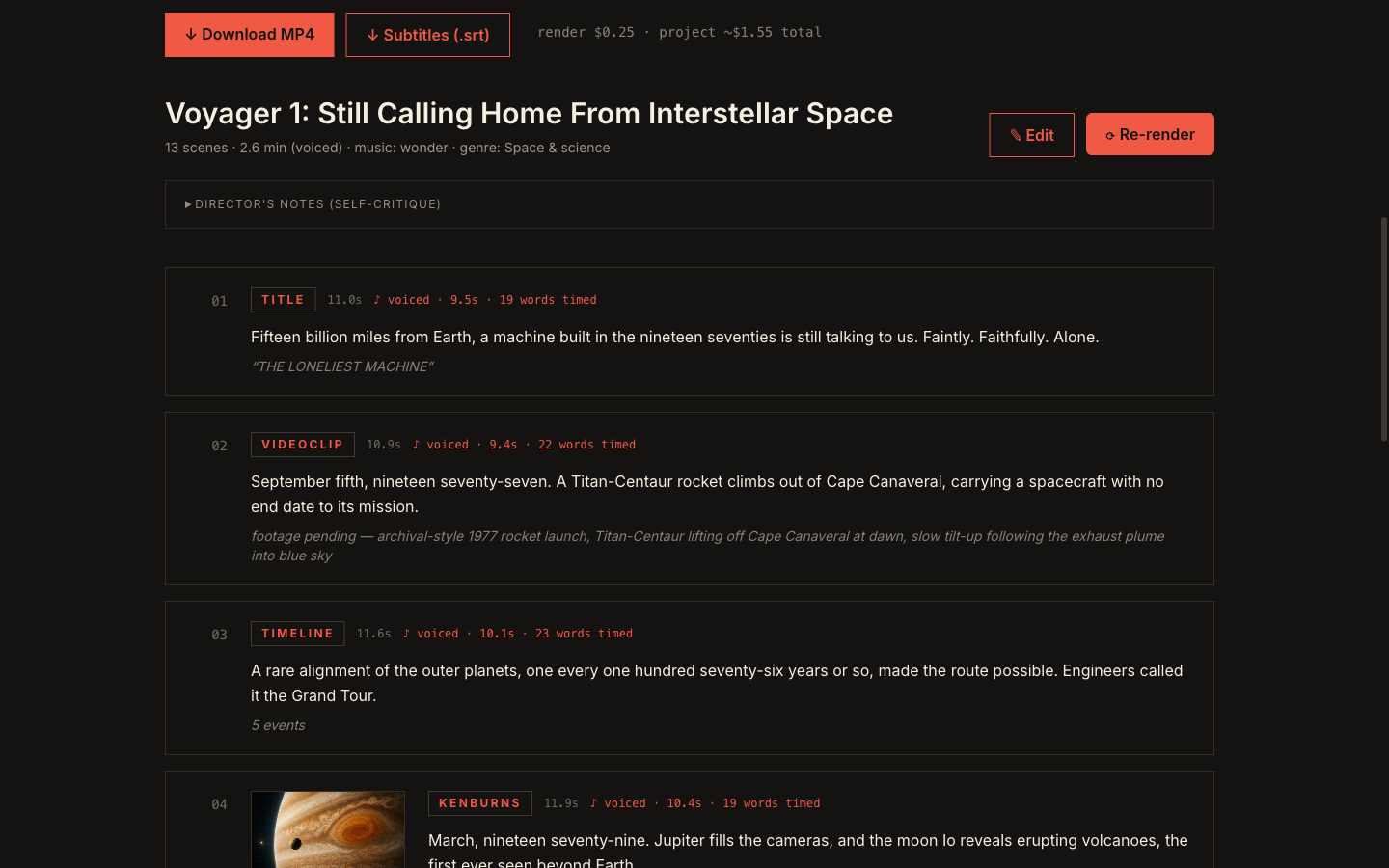
The key question is how you prefer to revise. If discrete script, voice, scene, animation, and preview approvals match your process, OpenVidi’s staged model is coherent. If you want to see the assembled documentary as tracks and keep directing it inside one editing surface, Veedyoo’s workflow is the stronger fit on publicly demonstrated evidence.
Cloud ownership, credentials, and operational responsibility
OpenVidi’s bring-your-own-cloud approach deserves a careful security review, not alarmist language. Its terms state that customers provide GCP service-account credentials, that OpenVidi encrypts them at rest and uses them to call APIs on the customer’s behalf, and that customers can delete the credentials in Settings. Its privacy policy specifies AES encryption and says media remains in the customer’s GCP bucket, subject to that account’s storage policies.
The tradeoff is responsibility. The customer must manage a Google Cloud project, permissions, billing, budget controls, and the JSON key lifecycle. OpenVidi’s terms also place responsibility for GCP costs beyond free credits on the customer. Teams choosing it should use a dedicated project, least-privilege access, monitored billing, and a documented key-revocation process.
Veedyoo removes that particular credential and billing workload because creators do not upload a GCP service-account key. The tradeoff is that infrastructure is managed inside the product rather than under the customer’s own cloud account. Organizations with strict storage or procurement requirements should verify either vendor’s current terms before uploading sensitive material.
Who should choose OpenVidi?
OpenVidi is worth considering if most of these are true:
- You publish full-length faceless videos on a regular monthly schedule.
- You are comfortable setting up and monitoring Google Cloud.
- Keeping generated media in your own GCS bucket is valuable.
- Direct provider usage visibility matters more than having one managed bill.
- A staged review-and-approval pipeline fits how you produce.
- You will test a representative project before forecasting cloud spend.
Who should choose Veedyoo?
Veedyoo is the more natural alternative if most of these are true:
- You want to start without configuring cloud APIs, buckets, keys, or billing.
- Your publishing schedule is irregular and you do not want a subscription.
- You want a documentary-specific storyboard with specialized scene treatments.
- You expect to revise the assembled cut in a multi-track timeline.
- You prefer generation and cloud rendering to draw from one managed credit balance.
- You want to begin with a small top-up rather than a monthly plan.
If your priority is sourced-footage production rather than generated documentary scenes, also read our VidRush alternatives comparison. The products solve overlapping but not identical jobs.
Frequently asked questions
Is Veedyoo cheaper than OpenVidi?
There is no honest universal answer without the same project brief and settings. Veedyoo has no monthly subscription and starts with $5 top-ups that are valid for one month. OpenVidi starts at a $29 monthly platform fee and uses the customer’s Google Cloud account for additional usage. Volume, duration, animation, and regeneration determine which model costs less for a particular channel.
Does OpenVidi require Google Cloud?
Yes. OpenVidi’s public tutorial says users connect a GCP project, enable required services, create a service account and storage bucket, then upload the JSON key through its wizard. OpenVidi states that uploaded credentials are encrypted and removable.
Does OpenVidi have editing controls?
Yes. Its public documentation describes script editing and versions, scene-prompt editing and regeneration, animation selection, preview review, and final rebuilding. The distinction here is emphasis: staged production approvals in OpenVidi’s documentation versus Veedyoo’s demonstrated storyboard and multi-track timeline.
How many videos might the Google $300 credit cover?
OpenVidi’s homepage estimated 6–10 full videos or 30-plus 45-second Shorts when checked July 19, 2026. Treat those as product estimates, not promises. Confirm Google eligibility and run a representative project while watching actual cloud usage.
Can I compare output quality now?
Not from this article. A defensible quality comparison requires the same brief, duration, voice assumptions, visual direction, revision budget, and scoring criteria in both products. This first version intentionally limits conclusions to public evidence.
Sources and fact-check date
Checked July 19, 2026:
- OpenVidi homepage
- OpenVidi pricing
- OpenVidi tutorial
- OpenVidi Terms of Service
- OpenVidi Privacy Policy
- Google Cloud budgets and alerts
- Veedyoo pricing
- Veedyoo documentary video maker
- Veedyoo storyboard generator
OpenVidi and Google Cloud are trademarks of their respective owners. Veedyoo is not affiliated with or endorsed by either company.
Make a documentary without configuring Google Cloud
Start with a topic, review the storyboard, direct scenes in the timeline, and use credits only when you generate assets or render.
Try Veedyoo